Skip to content

Guide

Aluminium composite panel cutting plan

Work out panel count, waste and the cutting file for your composite panel parts.

File

Drag your SVG file here

or

SVG only · up to 10 MB

Your file is processed in your browser and is not uploaded to a server.

When preparing the file

  • Draw each part as a closed shape.
  • Convert text to outlines.
  • Save the drawing at real size, in mm or cm.

Settings

Gap left between parts (blade or router bit width).

Gap left from the sheet edge.

Turn rotation off if the material direction (pattern, brushed surface) matters.

Enter the real width of one part; the drawing scale is corrected accordingly.

Parts

    Choose an SVG file to see its parts.

      Cutting plans for composite panel

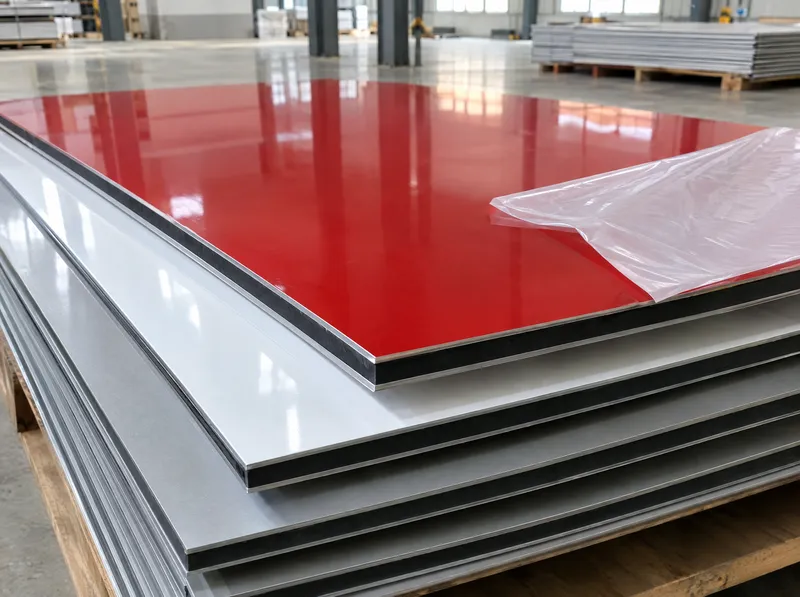
      Aluminium composite panel (ACP) is used for facade cladding, sign backgrounds, pylons and channel letter returns. It is a long, valuable material: ordering without a cutting plan leaves you either one panel short or with a large offcut.

      Sizes the tool tries

      On this page the tool opens with composite panel and tries six standard sizes: 125 × 320, 125 × 420, 125 × 600, 150 × 320, 150 × 420 and 150 × 600 cm. Longer panels usually mean fewer joints and less edge waste, but harder transport and storage. The comparison table shows panel count and efficiency for every size.

      Steps and formula

      1. Draw the parts at real size, including folding allowances for cassettes or channel letters.
      2. Upload the SVG and enter the quantities; set rotation to “No rotation” for directional surfaces.
      3. Choose the cutting gap for your method (CNC router, circular saw) and calculate.
      • Waste = (panel count × panel area) − part area
      • Efficiency = part area ÷ (panel count × panel area)

      Example: a 150 × 320 cm panel is 4.8 m². If 7.2 m² of parts fit on two panels (9.6 m²), the waste is 2.4 m² and the efficiency 75%.

      Buy the panels for one job in a single order: panels from different production batches can differ slightly in tone.

      Source: standard panel sizes from the tool’s sheet table (Asta stock sizes); waste and efficiency as defined by the tool’s nesting calculation. The result is an approximate estimate.

      Last updated: 18 October 2026 · Full tool page
      How does it work?

      From your drawing to a cutting plan in four steps.

      1. Upload your SVG file

        Drag and drop the drawing with the parts to be cut, or choose the file.

      2. Choose material and cutting gap

        Set the sheet material, the gap between parts and the rotation option.

      3. Calculate and see the sheet with least waste

        The tool tries every sheet size, recommends the most efficient option and shows the layout.

      4. Download or request a quote

        Download the cutting SVG or DXF, or go to the quote form with the sheet size and count.

      Frequently asked questions

      What are the standard composite panel sizes?

      The tool tries six sizes - 125 and 150 cm wide, 320, 420 and 600 cm long. For another size, choose “Other (custom size)” and enter the panel size.

      Does the tool calculate folding allowances for cassettes and channel letters?

      No. The tool nests the outer contour of your drawing. Draw the V-groove and folding allowances into the flat pattern and the tool will nest that pattern.

      Why does the rotation setting matter?

      Brushed, metallic or patterned surfaces, and panels marked with direction arrows on the protective film, must be cut in the same direction. Choose “No rotation” to keep the parts as drawn.

      How do I turn the result into a quote?

      Add the calculation to the project basket and send it with your other calculations using “Request a quote”. Panel size and count are included in the message.

      Related products

      • Aluminium Composite Panel

        Aluminium composite panels are a material produced with advanced technology and often preferred in advertising and modern architecture. These panels consist of eco-friendly polyethylene between two aluminium layers.

      Related product groups

      • Sheet Products

        17 products